[01] Latest release
Release notes
Every update, documented.
Read the notesMail, tasks, notes, projects and contacts in one quiet place. Made for studios and agencies that look after many clients — and would like to go home on time.
Everything in one place — not in ten services that each know a little.
[01] Latest release
Release notes
Every update, documented.
Read the notes[02] From the blog
Private Kanban. Public clarity.
15 Aug 2026
Read[03] Mobile app
In development.
The newsletter tells you when it is ready.
[04] Sovereignty check
Where does your client data live?
Ten questions, three minutes, a plain result.
Take the check
[+] Why rocketbatch
Six plain reasons. Open the ones you care about.
One account, several spaces: one for work, one for your private life, one for the family, the sports club or the association you help out. Each has its own mail, tasks, notes and contacts. One swipe switches between them.
rocketbatch is a full mail client. Link a mail to a task, a project or a contact, and find it again from any of them. No more searching three inboxes for the brief.
Private mail stays on your own device; only headers and a short preview sync. A mail you make public in the app is stored on our servers, so the colleagues you share it with can open it too.
Connect the model you prefer, including one that runs on your own machine or inside your network. Because everything sits in one place, even a small local model sees the whole picture. It drafts and summarises; you decide what is sent.
Comment on a shared mail, turn it into a task or open a channel about it. The conversation stays next to the thing it is about, not in a separate chat tool.
Mail in one service, tasks in another, notes in a third — and the context gets lost between them. In rocketbatch they live together, linked to each other and searchable in one place. That one pool of data also makes AI simpler: a small model running on your own machine can answer across all of it, because nothing has to be gathered from five services first. And it means one subscription instead of several.
[01]Notes
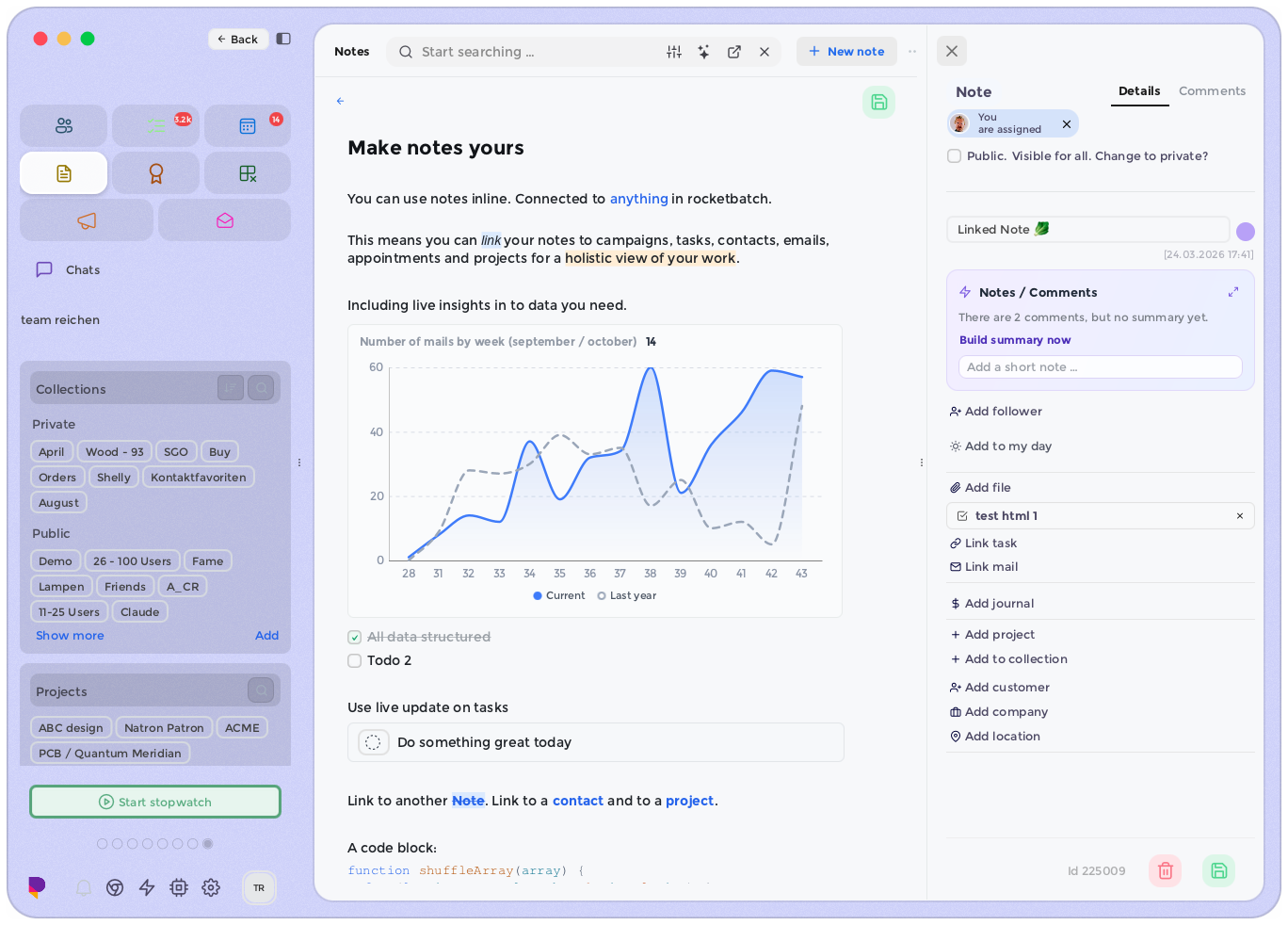
Link a mail to a task, a task to a contact, a contact to a project — and follow each link back the other way. Notes use a block editor, so a brief can hold a table, a checklist and the mail it came from.
[02]Profiles & Tasks
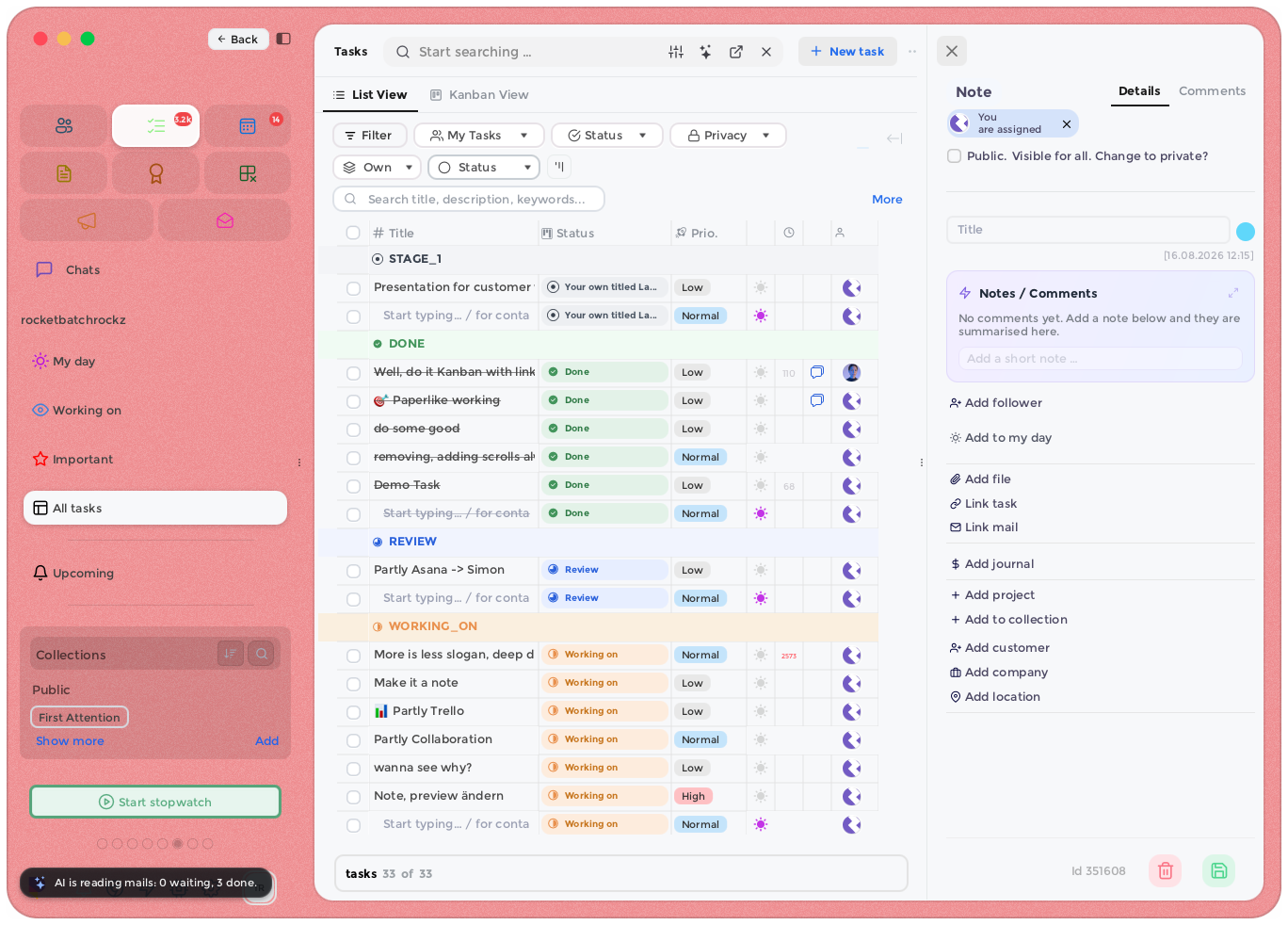
One swipe takes you from your work space to the family, the sports club or the association you volunteer for. Each stays separate, while notes, appointments and mail can still point to each other.
[03]Kanban
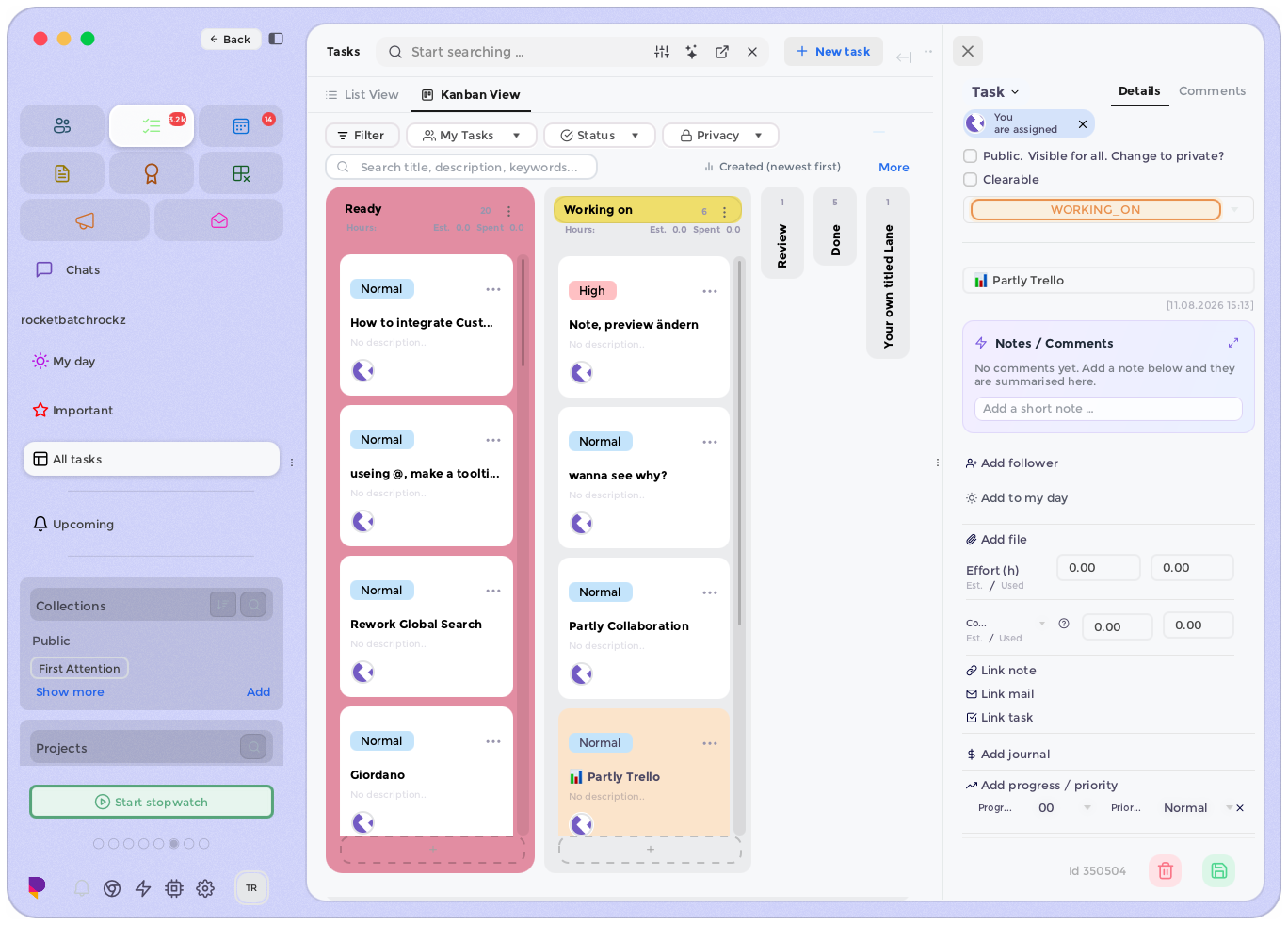
Keep tasks as a list while you plan, and turn the same tasks into a board when the team starts moving them. A click on a task opens the note or thread it belongs to.
[04]Better Meetings
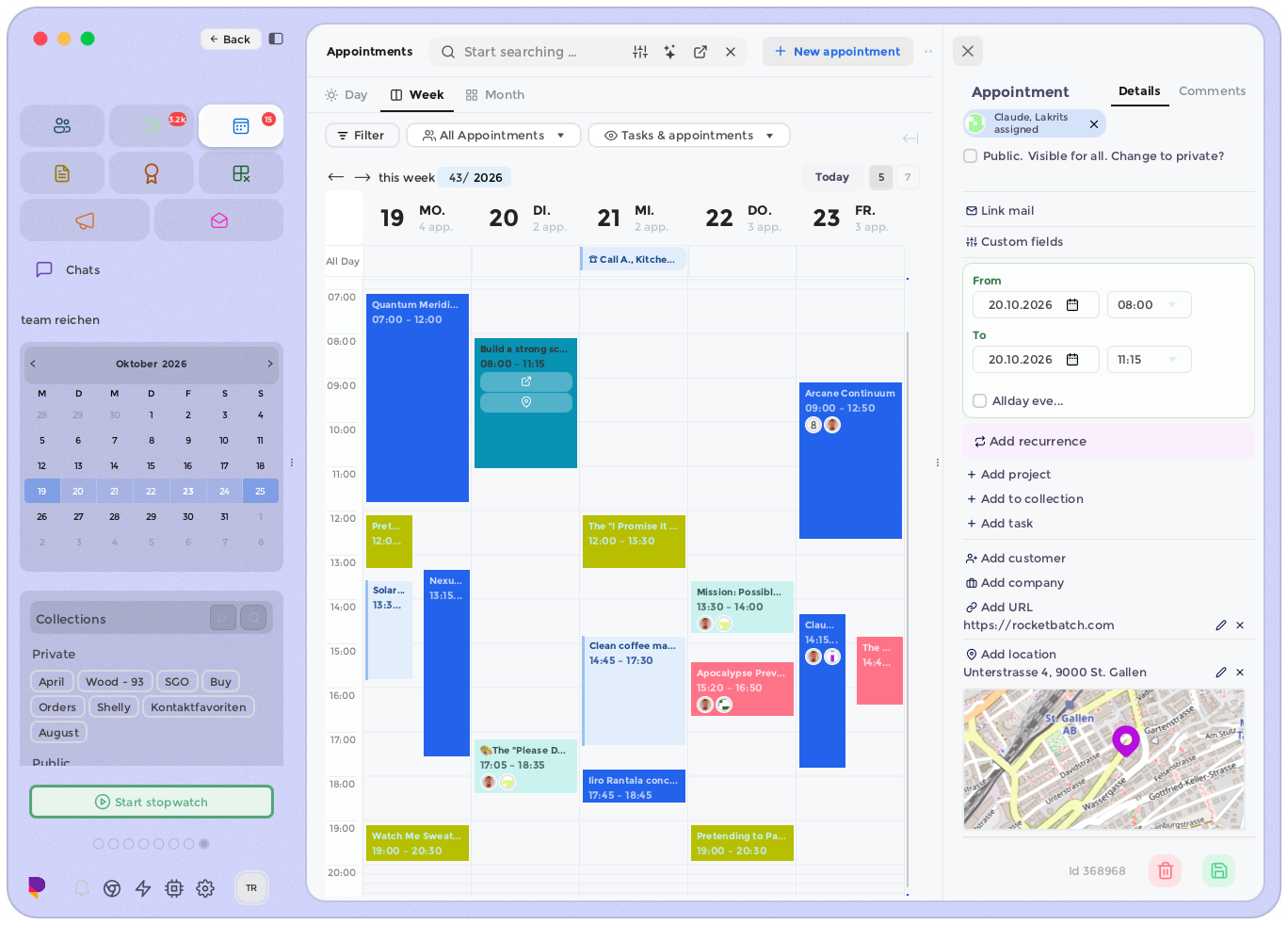
A meeting opens with its agenda, its notes and the documents that belong to it, and a short reminder of what comes next. Nobody has to share their screen to find the brief.
[05]Spaces
Separate spaces, logins and themes for work, for home and for the clubs you belong to. Work mode during the day. When the day is done, swipe it away.
[06]Leads & Campaigns
Send campaigns, follow leads and keep each deal next to the conversations it came from. See which mails were opened and which Instagram links were followed.
[07]Workflow & Automation
Turn a mail into a task, or a task into a mail. Reply automatically when a client writes on a Sunday. Small rules that save a little time, many times a day.
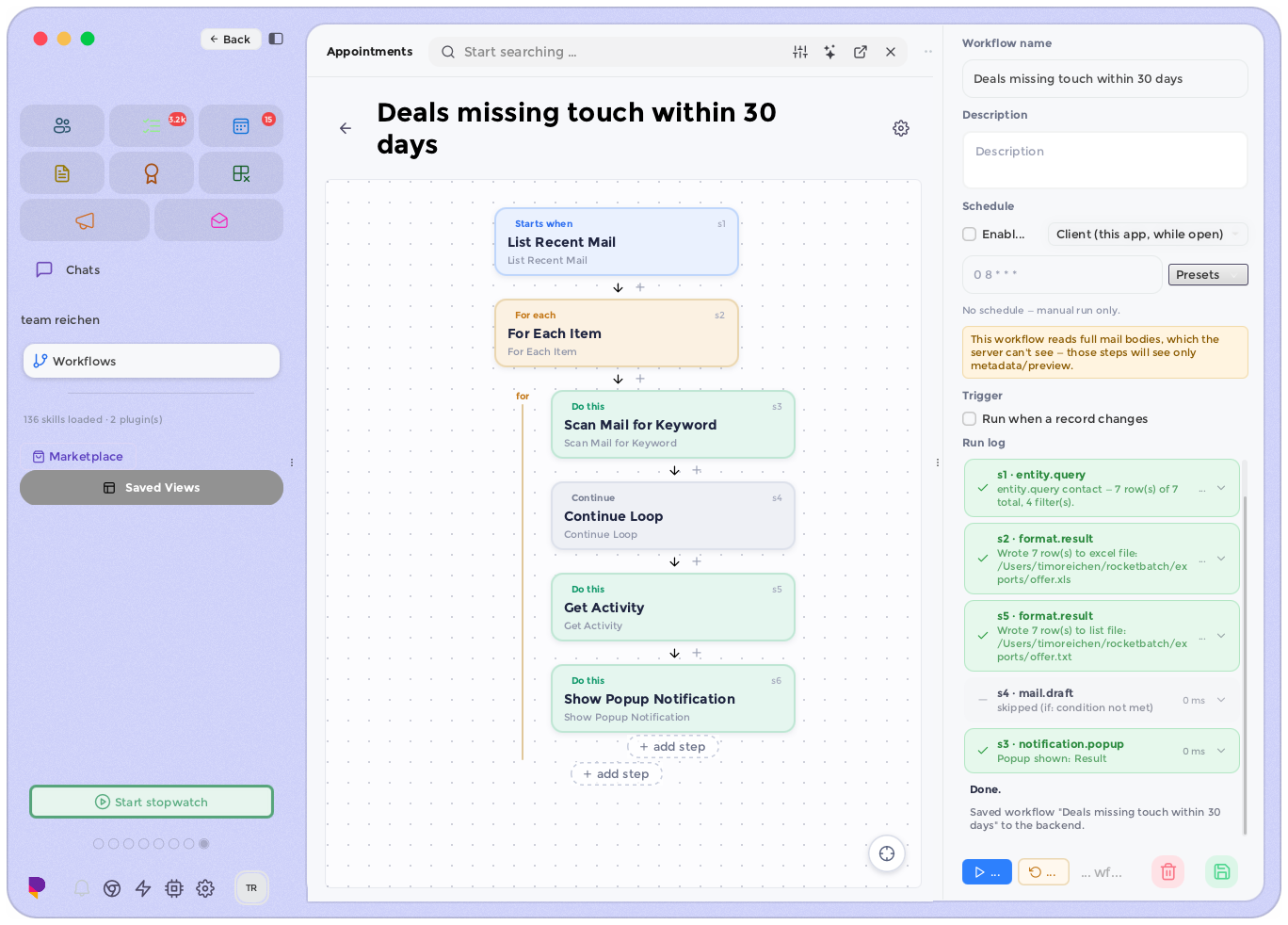
[08]AI, Built In
Mail, tasks, notes and contacts sit in one pool, so even a small model running on your own hardware can work across all of it. Use a hosted provider when you need more. Either way, you decide where your data goes.
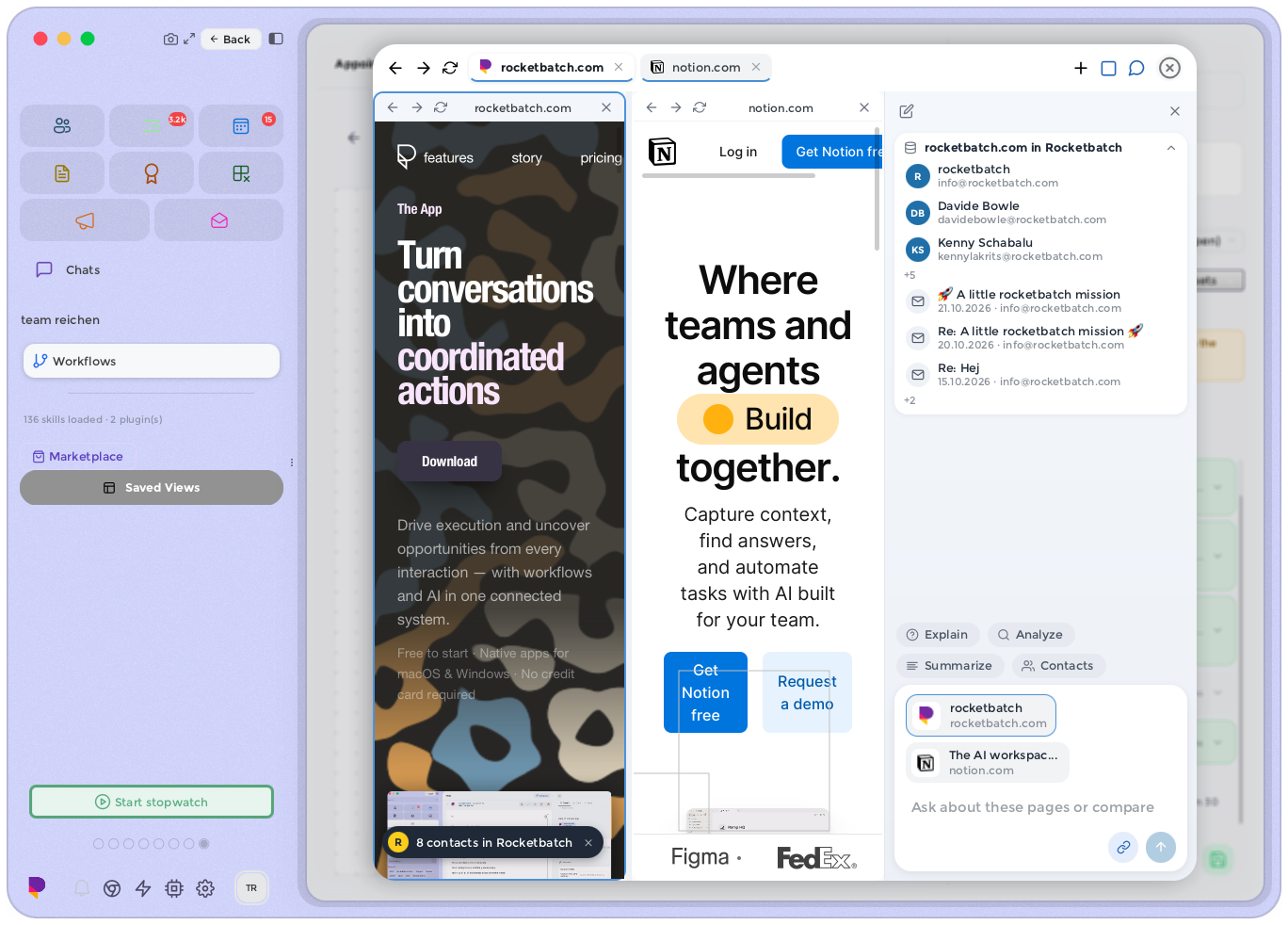
From the work space to the family, the sports club or the association: one swipe, and mail, tasks, notes and contacts change with you. Nothing from one space spills into the other.
The mail, notes, tasks and contacts for the job in front of you, together on one screen. Everything else waits quietly until you need it.
Ask in plain words — “what did the client say about the deadline?” — and the answer appears next to the work it belongs to, with a link to where it came from.
[→]Start free · No credit card
30 days, free. We only bill you once you place an order yourself — no card details, no setup fees, nothing to cancel.
Made in St. Gallen, Switzerland, by a small team that uses it every day.
[+]Security, plainly
Every connection between the app and our servers is encrypted.
Passwords are salted and hashed. We never store them in plain text.
Our servers and files run with Amazon Web Services in the Ireland region. Your data stays in the EU.